
Control panel
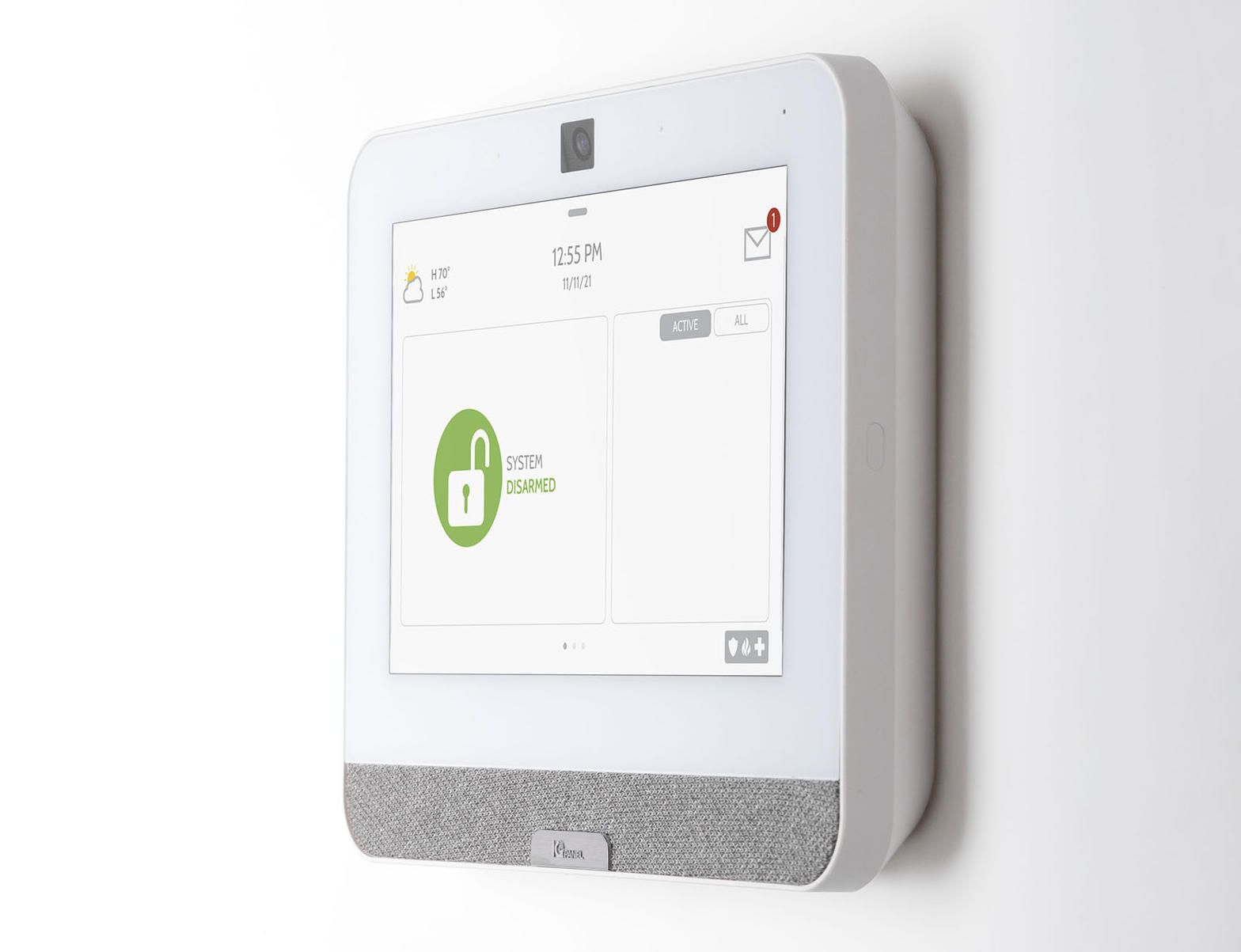
The panel is the brain. It arms, disarms and stores the event log. The keypad is a Qolsys IQ Panel 4 or a DSC PowerSeries Neo, and the proposal names the model.
Intrusion alarm
Qolsys IQ Panel 4 and DSC PowerSeries Neo keypads, with door contacts, motion, smoke sensors and carbon monoxide sensors. Monitoring that calls you or the authorities is optional and priced apart from the installation.
What is on the system
The panel is the brain. It arms, disarms and stores the event log. The keypad is a Qolsys IQ Panel 4 or a DSC PowerSeries Neo, and the proposal names the model.
A contact on each entry that should set off the alarm. The walk-through decides which doors and windows are on the perimeter and which stay off.
Placed in rooms, corridors, sales floors and aisles where someone would have to walk. Not a detector in every corner.
A keypad by the door you actually use, plus phone control. You can see if the system is armed when you are not on site.
An indoor sounder, and an outdoor sounder where the building needs one. The proposal says which.
A smoke sensor on each floor, and outside sleeping rooms in a house. On a shop or office, they go where people are, not in place of a required fire-alarm system. The panel sounds and can send the event to the app.
A carbon monoxide sensor near the bedrooms in a house, and near fuel-burning equipment such as a furnace or a gas heater. The keypad and the app show a CO alarm separately from a break-in.
A compatible lock can sit on the same system as the alarm. Arm the panel and the door can lock with it. Unlock, check the status, and see who used a code from the keypad or the app.
A compatible thermostat can be controlled from the same keypad and app. Set the temperature, and have it ease back when the system is armed and the building is empty.
Glass-break sensors and panic buttons are added only when the site calls for them. They are listed as line items, not bundled in by default.
The keypads we install
A touchscreen at the door. Arm and disarm on the panel, see the status, and use the Alarm.com app from a phone. Compatible door locks and thermostats can be controlled from the same panel and the same app. A monitoring plan, if you want one, is a separate agreement.
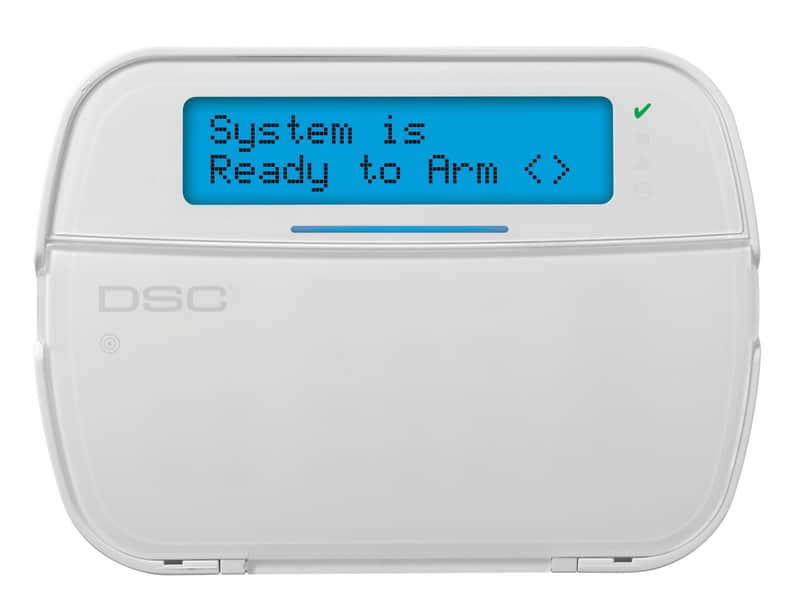
The hardwired keypad for houses and smaller commercial sites. A blue display, a keypad at the door you use, and a panel that can take more contacts later. If a Neo panel is already there and still supported, it can stay.
Honeywell is still an option where the building needs a larger device count or the existing Honeywell panel is worth keeping. The proposal names the model.
By property
Arm the house when you leave. Door and window contacts on the perimeter, motion on the main floor, a smoke sensor on each floor, a CO sensor near the bedrooms, and the app so you can check it from work.
A closing procedure: the staff door, the shop floor and the stock room. The alarm can be armed when the last person leaves.
After-hours coverage on dock doors, office entries and aisles. Motion is placed where product actually sits, not across every bay.
A lobby and suite layout. Partitions can keep a tenant area separate from the common alarm, when the panel supports it.
You get keypad and phone control, and you are the one notified. There is no monthly station fee.
A station can call you, and the authorities when the agreement says so. That service is quoted on its own and is not included with the cameras or the door readers.
If a DSC or Honeywell panel is still supported, we can add contacts and the app instead of replacing it. The proposal shows that decision.